
Choosing a Passive Dac Cable in 2026 starts with a practical question: will it match the equipment at both ends? In a crowded rack, a short copper link can connect switches and servers without separate optical transceivers. But speed, reach, and compatibility must agree. A cable that fits physically may still fail to negotiate the expected link.
Industry forecasts from Dell’Oro Group and LightCounting track continued investment in higher-speed data-center networks. IEEE 802.3 standards and SFF specifications provide the technical framework for Ethernet rates and module interfaces. These sources matter because cable labels alone cannot confirm interoperability. Check the host’s supported data rate, connector type, coding requirements, and maximum passive-copper reach. Then verify the vendor’s compatibility list for the exact switch or server model. Small details count. A one-meter cable may suit a dense rack; a longer run can exceed the reliable reach for its signaling rate.
A useful buying decision also weighs airflow, routing, bend space, and warranty support. Compare the cable’s stated power needs and operating conditions with the equipment documentation. Ask for test or compliance information when specifications are vague. And a polished datasheet can still leave questions unanswered. Passive Dac Cable selection is not just a price comparison; it is a check that the link will work reliably in the rack you actually have.
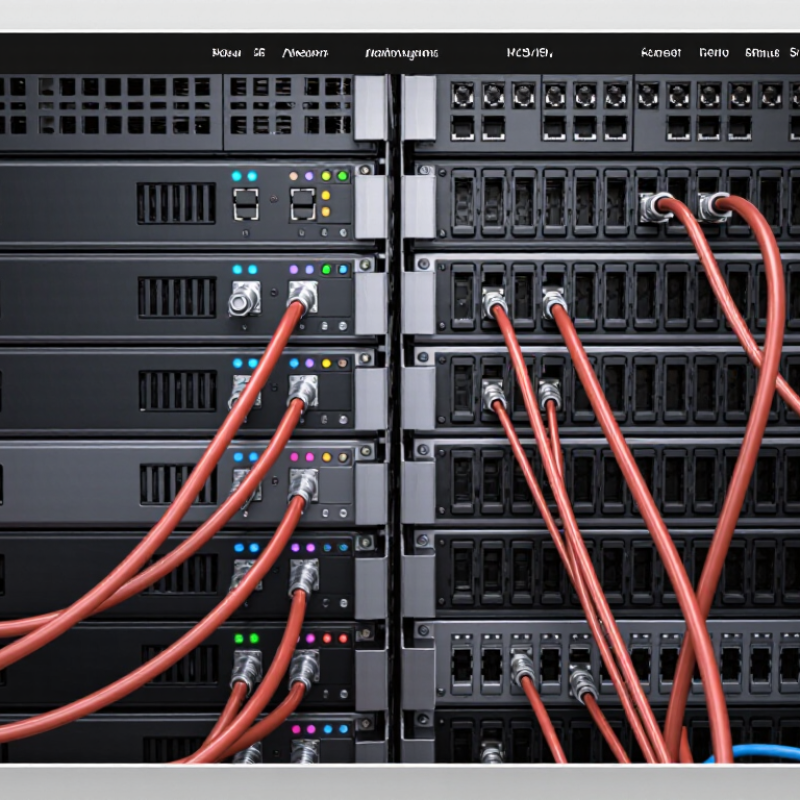
How to Choose a Passive DAC Cable in 2026?
Identify the interface before checking cable length. SFP+ is commonly used for 10GbE links, while QSFP28 is designed for 100GbE connections. The connectors are different sizes and are not interchangeable. A passive DAC uses copper twinax cable with fixed transceiver ends, making it suited to short connections inside a rack or between nearby racks. Check the port labels and equipment documentation; appearance alone can mislead.
Match both ends to the intended link speed and confirm that each device supports the cable’s coding. For a 100GbE connection, use QSFP28 ports at both ends unless your setup specifically supports a breakout arrangement, such as one QSFP28 port feeding four 25GbE links. That detail is easy to miss. Also confirm the cable’s rated length and supported gauge. Longer copper runs can be less reliable, and limits vary by equipment and cable specification. A slightly untidy rack layout may make the shortest cable a poor choice.
Tips: Measure the actual route, including bends and cable management. Leave a little slack, but avoid coils that block airflow. If a link fails to come up, verify port speed and compatibility before replacing the cable. Short DACs are convenient, but they are not a universal fix.

Reach depends on the cable, data rate, and host ports—not just the distance between devices. Passive direct-attach copper cables have no retimer to restore a weakening signal. As data rates rise, signal loss and reflections leave less room for a long run. Short is safer.
IEEE 802.3bj specifies 100GBASE-CR4 copper links for distances up to 5 metres. Treat that figure as a standard limit for a defined interface, not a promise that every passive cable will work at five metres. Check the equipment’s compatibility list and the cable’s rated reach. A nominally suitable length can still fail if the host ports use different electrical specifications.
Measure the actual route, including the climb to a switch and the bend behind the rack. A 1-metre cable can look tidy on paper and pull tight around a rail. I would leave a little slack, but not coil excess cable into a crowded airflow path. That trade-off is easy to miss. For longer runs, compare an active copper cable or optical link rather than assuming passive DAC will stretch reliably. Test the chosen length under the intended link speed before deploying several identical runs.
Before buying a passive DAC cable, check how each host identifies its modules. A cable may fit physically but still be rejected if its EEPROM coding does not match the switch or server’s compatibility requirements. Check both ends. Read the host documentation for supported coding, data rate, and port restrictions; do not rely on a seller’s broad “compatible” label alone. Firmware versions can matter, too.
Confirm the MSA form factor at both ports. SFP+, SFP28, QSFP+, and QSFP28 connectors may look related, but they are not interchangeable in every application. Match the cable’s connector type and supported speed to the exact port specifications. A port that accepts a certain module shape may still require a particular link mode or coding profile. Shape is not enough.
For a real deployment, verify the cable’s stated length and speed, then test it on the intended host before ordering a large quantity. Check link status and error counters under normal traffic, not just at idle. Compatibility lists are useful, but they can lag behind firmware changes, and there is no universal chart that covers every configuration. I have seen teams overlook one end of a link; it is an easy detail to miss. If documentation is unclear, ask the equipment supplier to confirm the exact host model and port combination in writing.
How to Choose a Passive DAC Cable in 2026?
A passive direct-attach copper cable carries electrical signals between compatible ports. It has no optical transmitter, laser, or separate power supply. The equipment at each end generates and receives the signal. That keeps the cable simple, but the ports must support the cable type and data rate.
Compare gauge with the distance you need. A lower AWG number usually means thicker conductors, which can reduce resistance. But gauge alone cannot promise reliable performance: cable length, construction, and link speed matter too. Check the equipment’s compatibility guidance before ordering, especially for a longer run. A thick cable can also feel stiff behind a crowded switch. Measure the route, including bends, rather than just the gap between devices.
No optical engine to power. A passive DAC draws no operating power for signal conversion, though the connected ports still need to drive the electrical link. In practice, compare the cable’s stated length and supported speed, then confirm both devices accept passive DACs. I would not assume the biggest gauge is automatically best; I’ve seen cable routing become the real nuisance. Test the actual link when possible. A tidy rack can still surprise you.
How to Choose a Passive DAC Cable in 2026?
Match the cable to the Ethernet rate your ports actually support: 10, 25, 40, or 100GbE. A connector that fits is not proof of compatibility. Check each device’s specifications for passive direct-attach copper support at the target rate and cable length. Then confirm both ends use the same lane arrangement; some links require a breakout configuration rather than a straight-through connection. Small details matter.
Distance can change the answer. Passive DACs are generally intended for short connections, and the supported reach depends on the cable and the equipment. Measure the real path, including slack around rack rails, instead of guessing from rack units. At 100GbE, verify the exact port mode and approved passive-cable reach; don’t assume a 10GbE cable will work at a higher rate. I’ve seen a tidy-looking cable choice turn into a troubleshooting session because the link negotiated below its expected speed. Check the interface counters after installation, too. A link light is not enough. If documentation is unclear, I’d pause and confirm compatibility rather than buy by connector shape alone.
| Ethernet Rate | Common Port Type | Typical Lane Mapping and Signaling Rate | Passive DAC Reach for Initial Planning | Checks Before Purchase |
|---|---|---|---|---|
| 10GbE | SFP+ | Typically 1 lane at 10.3125 GBd using NRZ signaling. | Often available in short lengths up to about 7 m; supported reach depends on the cable assembly and the connected equipment. | Confirm both ports support 10GbE passive direct attach, the required cable length, and the host’s cable-qualification requirements. |
| 25GbE | SFP28 | Typically 1 lane at 25.78125 GBd using NRZ signaling. | Often used for short links up to about 5 m; longer lengths require explicit support from both endpoints and the cable assembly. | Check the supported 25GbE mode at each endpoint and whether the link requires or supports FEC. Confirm cable coding and length compatibility. |
| 40GbE | QSFP+ | Typically 4 lanes at 10.3125 GBd per lane using NRZ signaling. | Passive assemblies are commonly used for short links, often up to about 7 m, subject to equipment qualification. | Verify that both ports support the same four-lane 40GbE mode. A matching connector alone does not guarantee interoperability. |
| 100GbE | QSFP28 is common for 4-lane implementations | A common implementation uses 4 lanes at 25.78125 GBd per lane using NRZ signaling. Other lane arrangements may be used by different equipment generations. | Passive assemblies are generally intended for short links, often up to about 5 m for common 4-lane configurations; check the exact assembly and endpoint specifications. | Confirm the lane arrangement, port mode, FEC requirements, and cable compatibility at both ends. Do not assume every 100GbE port uses the same electrical interface. |
Selection note: IEEE Ethernet rates describe the link speed; they do not, by themselves, guarantee that a particular passive DAC will work at a given length. Reach figures above are typical planning guidance, not universal limits. Before ordering, verify the exact speed, port mode, cable length, coding or qualification requirements, and FEC settings in the equipment and cable documentation.
Sierramotion engineers help customers design solutions to complex motion problems. Whether a simple coil, or a precision motion assembly working in vacuum, Sierramotion has the experience to create a solution that works the first time.