What Is a Digital Watch and How Does It Work?
A Digital Watch turns time into a readable electronic display. Its operation starts with a tiny quartz crystal inside the case. A battery sends electricity through the crystal, making it vibrate at a steady frequency. A circuit counts those vibrations and converts them into seconds, minutes, and hours. The display then shows the result as digits, often on a liquid-crystal screen. On a desk, the process is invisible; on your wrist, it appears as a crisp change from 10:42 to 10:43. Simple to read. Not simple inside.
Seiko founder Kintaro Hattori is associated with the phrase, “Always one step ahead of the rest.” That idea helps frame digital watchmaking: accurate timekeeping depends on small, carefully coordinated parts. Many models add alarms, backlights, timers, or sensors, each with its own controls and power needs. A button press may wake the screen, while a sensor can track movement or estimate heart rate. Yet this neat explanation is incomplete. Battery condition, temperature, and sensor design can affect performance, and not every feature is equally precise. A digital display can look exact without making every measurement exact. Understanding how a Digital Watch works means looking beyond its bright numbers to the crystal, circuit, battery, and software—and asking what each feature can reliably tell you.
Definition and Key Characteristics of a Digital Watch
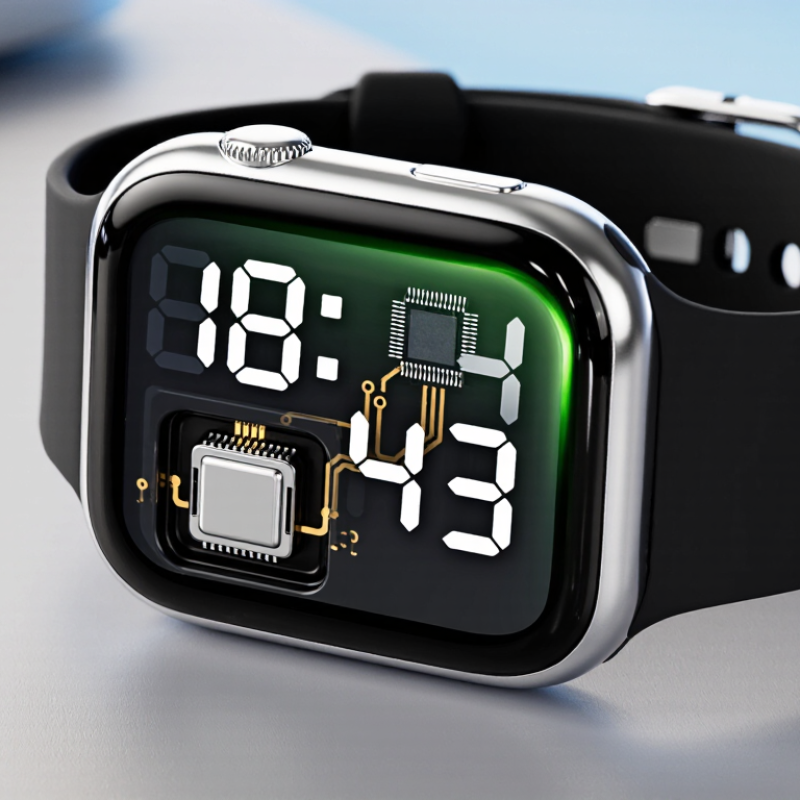
A digital watch displays time with numerals on an LCD or LED screen rather than hands on a dial. Inside, a small electronic module counts time and updates the display. Many models use a quartz crystal to keep time steadily, powered by a replaceable battery or rechargeable cell. The screen may also show the date, alarm time, stopwatch readings, or a second time zone. Simple, but useful.
Key characteristics vary. Basic digital watches focus on timekeeping and often have physical buttons for setting the display. More advanced models may add sensors, activity tracking, or phone notifications; these features are optional, not part of the basic definition. Water resistance is another specification, not a guarantee that every watch suits swimming. Check the stated rating and intended use. The label can mislead.
The broader wearable-device market offers useful context, though it is not the same as the digital-watch market. IDC’s Worldwide Quarterly Wearable Device Tracker reported 2024 shipments of about 538 million wearable devices globally, including watches and other device types. That figure shows the scale of electronic wearables, but it should not be read as digital-watch sales alone. A watch can look simple from the outside. Its actual features depend on the module, display, power source, and stated specifications.
Main Components Inside a Digital Watch
A digital watch is a compact timing circuit, not just a screen and battery. Its quartz crystal sets the pace. A common watch crystal vibrates 32,768 times per second; a divider circuit reduces that signal to one pulse per second. This power-of-two frequency allows simple digital division. The integrated circuit counts pulses and updates the display. IEEE frequency-control literature describes quartz oscillators as stable timing references, though real accuracy still shifts with temperature, aging, and manufacturing tolerances.
The display is usually a low-power liquid-crystal panel, driven by signals from the circuit board. Press a side button, and electrical contacts tell the chip to change modes or set the time. A tiny battery supplies power; some models use lithium primary cells. IEC 60086-4:2023 specifies safety testing for lithium primary batteries, but it cannot predict a watch’s runtime. That depends on display use, alarms, and circuit design. Real assemblies are less tidy than diagrams suggest. A loose contact, worn seal, or weak battery can cause flickering or lost settings. The watch may look simple, but its small parts must work together.
What Is a Digital Watch and How Does It Work? — Main Components Inside a Digital Watch
A quartz crystal in many digital watches oscillates at 32,768 Hz. A chain of 15 binary divider stages halves that frequency until it produces a 1 Hz signal—one pulse per second. The watch’s counter uses these pulses to keep time, while its display driver sends the time to the LCD.
How a Digital Watch Measures and Displays Time
A digital watch measures time by counting steady electrical pulses. In many models, a small quartz crystal vibrates when current passes through it. Its regular vibrations act like a tiny beat. An electronic circuit divides that rapid signal into one-second intervals, then updates the seconds, minutes, and hours.
The process is precise, but not magical. Temperature, battery condition, and component tolerances can affect accuracy over time. The watch’s counter stores the current time, while a display driver converts that information into visible digits. On an LCD, selected segments darken to form each number. The change is almost instant. A faint reflection on the glass can still make the display harder to read.
Buttons let the wearer adjust the stored time or switch functions, such as an alarm or stopwatch. Pressing a button changes the watch’s settings; it does not usually alter the crystal’s rhythm. Some displays also use light-emitting components rather than LCD segments, so their power needs differ. I find the seconds counter easiest to understand when watching it beside a wall clock. Yet a small mismatch can be difficult to judge by eye.
How Buttons and Settings Control Watch Functions
A digital watch uses an electronic timekeeping circuit to update numbers on its display. Its buttons provide a simple way to reach that information. One button may cycle through time, alarm, stopwatch, and calendar modes. Another often starts or stops a timer, while a light button illuminates the screen. The exact layout varies, so check the watch’s instructions before changing settings.
Setting the time usually involves holding a button until one value flashes. Pressing another button then changes the hour or minute; a mode button may move between fields. Small steps matter. A quick press can change one number, while a long press may make numbers advance rapidly. That difference is easy to miss. If the display shows the wrong mode, return to the regular time screen before adjusting anything. This avoids changing an alarm when you meant to change the clock. Button labels can be unclear, and some watches use one button for several jobs. I would not assume every model behaves alike; testing a setting carefully is wiser than pressing buttons at random.
What Is a Digital Watch and How Does It Work? — How Buttons and Settings Control Watch Functions
| Watch Function | What It Does | Typical Button or Setting | How It Works |
| Digital time display | Shows the current time using numerals on an LCD or similar electronic display. | Mode and adjust buttons; hour, minute, and date settings | An electronic timekeeping circuit tracks seconds and updates the displayed time. In setting mode, buttons commonly change the selected value. |
| 12-hour or 24-hour format | Changes how hours are displayed, such as 3:00 PM or 15:00. | Time-format setting | The setting changes the display format without changing the underlying time. |
| Calendar | Displays the date and, on some watches, the day of the week. | Mode button; year, month, and day settings | The watch advances the calendar according to its date settings. Some models account for month lengths automatically, while date-setting procedures vary. |
| Stopwatch | Measures elapsed time, often with split or lap timing. | Mode to select stopwatch; start/stop and reset buttons | Start begins counting, stop pauses the count, and reset returns it to zero. Split or lap controls may record an intermediate time while timing continues. |
| Countdown timer | Counts down from a preset duration and may signal when it reaches zero. | Timer setting; start/stop and reset buttons | The user sets a duration and starts the countdown. An audible tone or other alert may indicate that the countdown has ended. |
| Alarm | Signals at a selected time, commonly once daily or on selected days. | Alarm mode; hour and minute settings; alarm on/off control | The watch compares its current time with the stored alarm time and activates an alert when they match, if the alarm is enabled. |
| Dual time | Displays a second time, useful for keeping track of another time zone. | Dual-time mode; separate hour and minute settings | A second time value is stored and displayed separately from the main time. It may need manual adjustment when local time changes. |
| Backlight or illumination | Lights the display so it can be read in low-light conditions. | Light button | Pressing the button briefly activates an LED or other built-in light. The display may be illuminated only while the button is pressed or for a short interval. |
| Button navigation and settings | Switches between functions and changes values such as time, date, and alarm settings. | Mode, adjust, start/stop, and reset buttons | Button layouts differ by watch. A common pattern uses Mode to cycle through screens, Adjust to enter or move through settings, and other buttons to change values or confirm actions. |
Note: Digital watches use electronic circuits to keep time and control the display. Button names, functions, and setting sequences vary by model; consult the watch’s instructions for exact steps.
Power Sources, Features, and Types of Digital Watches
A digital watch keeps time with a quartz crystal that vibrates at a steady rate. Its circuit counts those vibrations and updates the display, usually an LCD or LED screen. The power source matters. Replaceable coin-cell batteries can last for months or years, depending on the display and features. Rechargeable models need regular charging, while solar-assisted watches collect light and store energy for darker conditions. They do not run on sunlight alone every moment.
Features range from simple date displays to alarms, timers, stopwatches, and backlights. These tools are useful for timing a lap or checking the hour in a dim room. Small buttons can be awkward with gloves, though. More features also mean more settings to learn, and I still find some menus less intuitive than they should be.
Basic digital watches focus on time and everyday functions. Sports-oriented types may add lap timing, water resistance, or sensors, but sensor readings can vary with fit and movement. Smart digital watches offer notifications and apps, and usually need more frequent charging. Check the stated water-resistance rating before swimming; it describes tested conditions, not a promise against every kind of water exposure. Choose based on how you will use it, not just the longest feature list.